To create an animated image follow the steps
1. Open Photoshop


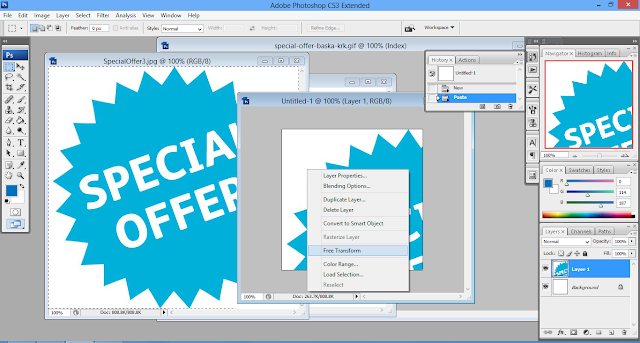




1. Open Photoshop


2. Search for some images & Save the images to your PC.


3. Now go back to photoshop and Open Images to make an Animated GIF Ad Banner.


4. Create a New Project/Doc.

5. Set required credentials like Name, Width, Height, Resolution, Color etc.


6. Select one of the opened image, press Ctrl+A then Ctrl+C & Paste it on New doc.

7. Adjust the image by, right click on image layer >> Free Transform
- Adjust to set corners.


8. Follow step 7 for other images.


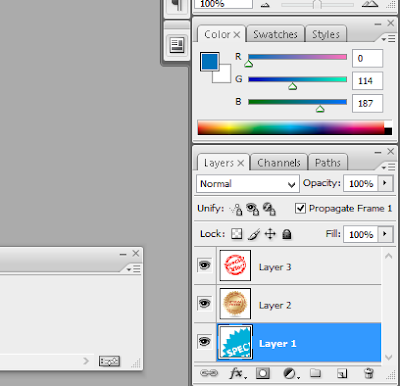
9. Now Delete the Background Layer from Layers(Press F7 / Window >> Layers)


10. Now open Animation Window. (Window >> Animation)


11. Remove the eye mark from the Layers except Layer 1.

12. Now select Layer 2 and Click "Duplicates Selected Forms". Then check back the eye mark.
- Do the same for Layer 3.


13. Now set delay seconds of your choice.


14. Test the animation.

15. Now click File >> Save for Web & Devices..(Alt+Shift+Ctrl+S) to save animated GIF Image.


16. Test your saved animated image with .gif extension with a browser or .gif image supported viewer.

17. You may save a Photoshop .psd format for later modifications.
Happy Learning!
Vikash Chandra Das
Rourkela
Odisha
